Skip to content
One Tuesday, hour by hour

The flyer, the invite, the order, the recipe. One Tuesday.

The field trip you found out about the morning of. The party you RSVP’d to late. The gift that arrived and sat on the porch all afternoon. You screenshot everything that comes home in the backpack or lands in the group chat, and the information gets captured. The action never happens. Here is the same Tuesday with Active Notes doing the remembering.

Every step below is something the app does today, and each one says whether it’s free or Premium, so you know exactly what you’re getting before you download.

  1. 7:00 AM · The school run

    Before anyone has found their shoes, you already know what today holds.

    Your Tuesday is read to you: the dentist at ten fifteen, soccer at half past three, the party RSVP due today. You never opened the app. Free, in your phone’s voice. Premium narrates it in a natural voice, in words written for your day.

    Free
  2. 7:40 AM · The school email

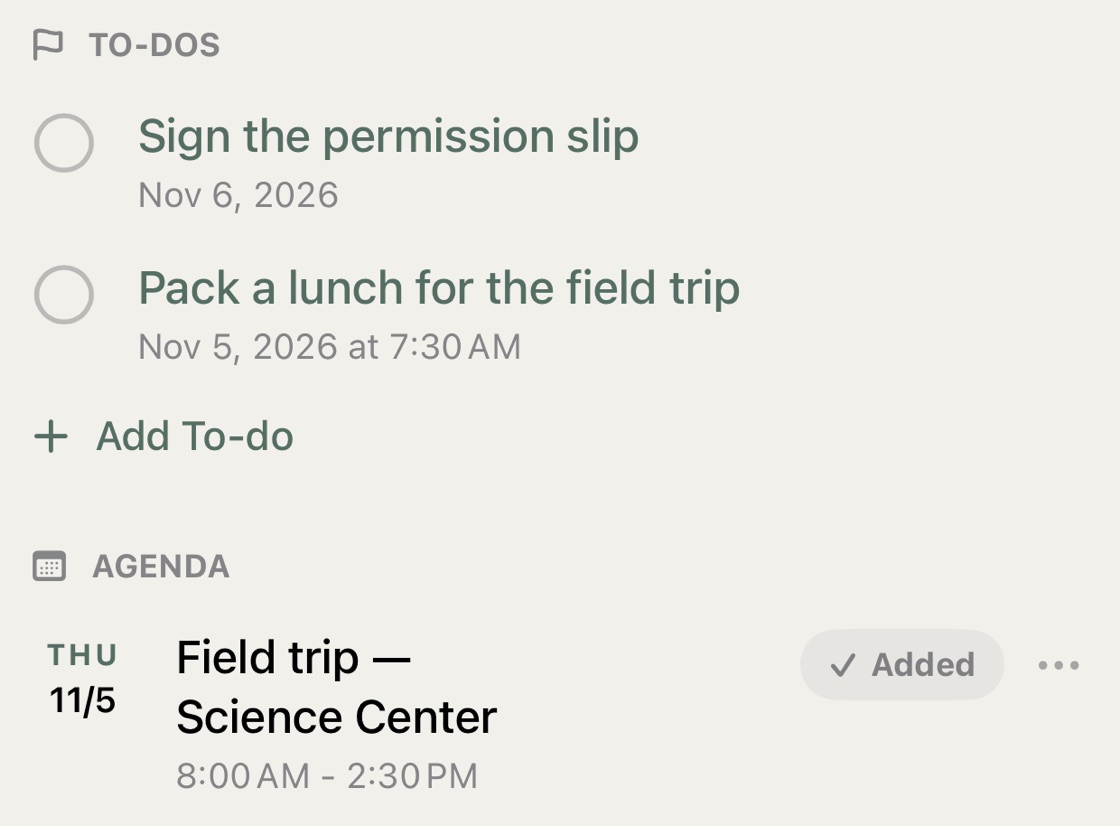
    The school email lands: field trip Thursday, permission slip due Friday, bring a packed lunch.

    Screenshot it. Thursday’s field trip is on your calendar, “sign the permission slip” is a to-do due Friday, “packed lunch” is another, and the note is filed under School. You get a reminder when each one is due. Nothing typed.

    A school email in Active Notes: “Sign the permission slip” and “Pack a lunch for the field trip” as to-dos, and Thursday’s Science Center field trip marked Added to the calendar
    Free
  3. 8:55 AM · The class group chat

    A birthday invite for Saturday arrives as a photo, with an RSVP number at the bottom.

    Screenshot it. The party is on the calendar with the park address, the RSVP number is tappable, and the note quietly clears itself the day after the party.

    Free
  4. 10:30 AM · Your inbox

    The order confirmation for the birthday gift, with a tracking number buried in the email.

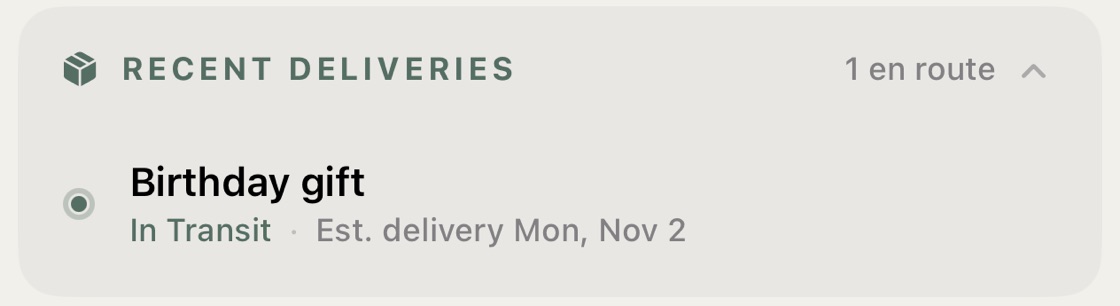
    Screenshot it. Active Notes finds the tracking number and shows it on the note. With Premium the delivery sits live on your Today dashboard and you get a tap on the wrist the moment it lands.

    Recent Deliveries on the Today screen: the birthday gift in transit, with the day it should arrive
    Premium
  5. 12:15 PM · A quiet minute on Instagram

    A one-pan dinner that looks doable on a Tuesday.

    Share it to Active Notes. It arrives as a recipe, not a screenshot: Serves 4, 35 minutes, the ingredients to tick, the steps as cards, filed under Dinner. At six, Start Cooking keeps the screen on, lights the step you’re on, and turns “simmer 20 minutes” into a timer. Made It remembers you went easy on the chili. The recipe stays as long as you want it.

    Free
  6. 12:20 PM · Still on the couch

    Dinner needs ingredients, and it would help if someone else could pick them up.

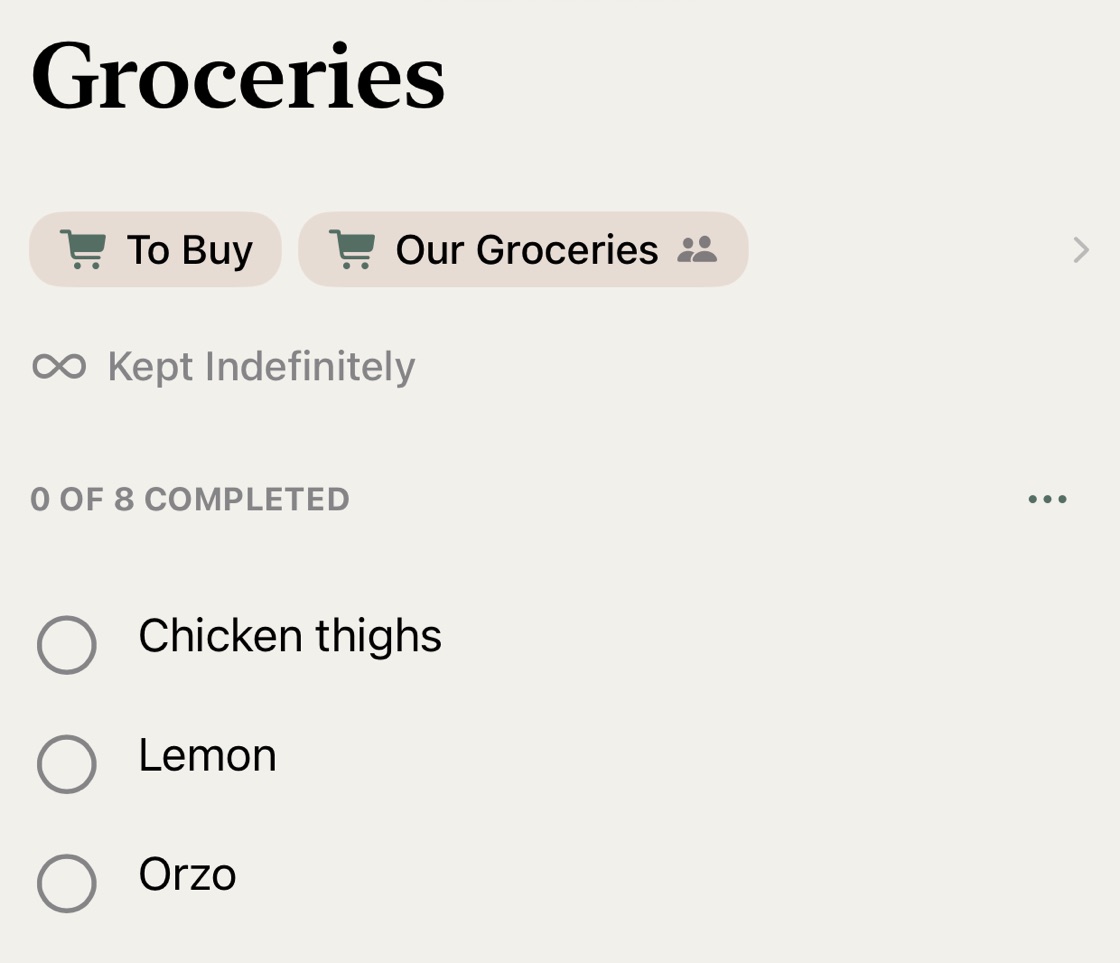
    Tap Add to To Buy and the ingredients you don’t have join the household grocery list, on your partner’s phone right away. The same way, Saturday’s party sits in Family Events with the address and the RSVP number, so you are not the only one who knows. Sharing with your household is Premium. Joining is free for them, and one subscription covers everyone in your Apple Family.

    The Groceries list in Active Notes, shared in Our Groceries: chicken thighs, lemon and orzo at the top
    Premium
  7. 3:30 PM · The store

    Both hands full, phone in a pocket.

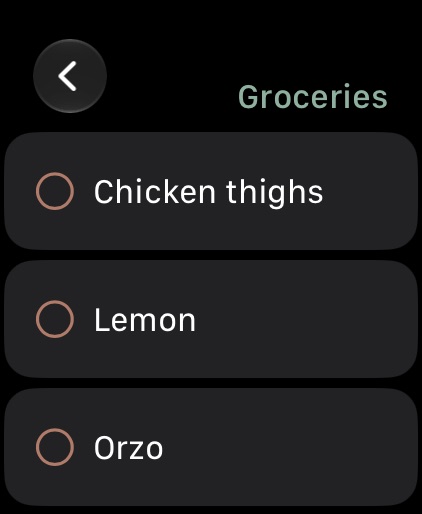
    The list is on your Apple Watch. Tick off the chicken, the lemon, the orzo from your wrist. Anything your partner added since lunch is already there.

    The same Groceries list on Apple Watch: chicken thighs, lemon, orzo
    Free
  8. 8:30 PM · Finally sitting down

    You do not open the app. You do not need to.

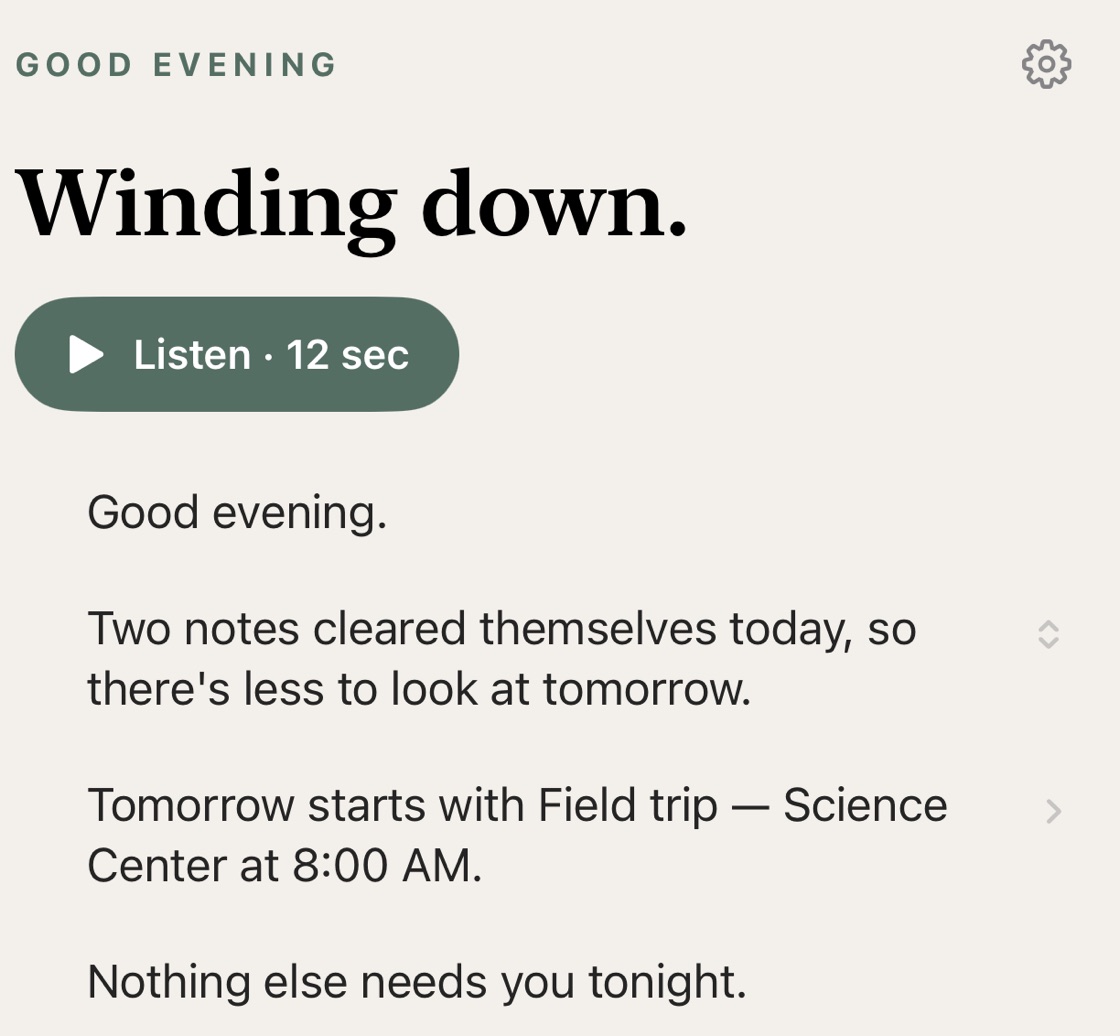
    The evening digest arrives: two notes cleared themselves today, tomorrow starts with the field trip bus at eight, and the permission slip is in School. The party note will clear itself on Sunday, and on Sunday evening a short catch-up sets up the week. Nothing else needs you tonight.

    The evening digest: two notes cleared themselves today, tomorrow starts with the Science Center field trip at 8:00 AM, and nothing else needs you tonight
    Free

What this Tuesday needed

Most of it is free. The rest is one subscription.

Free

No account needed to start

  • ✓The school email, the invite, and the recipe, read and filed for you
  • ✓Events on Apple Calendar with a reminder 15 minutes before each one starts
  • ✓Suggested to-dos: the RSVP, the signed form, the deadline
  • ✓The recipe ready to cook from, and tonight’s dinner planned
  • ✓A morning and evening digest, read or spoken aloud
  • ✓Checklists on your Apple Watch
  • ✓Notes that clear themselves, and a Sunday catch-up
Download free

Premium

$39.99 a year with a 7-day free trial, or $4.99 a month

  • ✓Any list shared with your household: groceries, Family Events, the trip, Our Cookbook, on your partner’s phone the moment you add something, and every family event on everyone’s calendar
  • ✓The week’s dinners planned together, with every ingredient on one grocery list
  • ✓Every new screenshot read the moment you take it, no tap needed
  • ✓Sync across iPhone, iPad, and Mac, backed up: cook from the iPad on the counter
  • ✓Apple Family Sharing: everyone in your family gets Premium
  • ✓Also included: live package tracking and your digest narrated in a natural voice
Start 7-Day Free Trial

The yearly plan begins with a 7-day free trial; the monthly plan does not include a trial. Subscriptions renew unless canceled at least 24 hours before the end of the billing cycle. Manage anytime in your App Store Account Settings.