Skip to content
One Tuesday, hour by hour · Mac, iPhone & Apple Watch

Everything arrives on the big screen. Your phone is in a drawer.

The invoice in an email. The dates in a Slack thread that scrolls away. The deadline in a browser tab you meant to come back to. You copy the date into Calendar with one hand, or you tell yourself you will do it later, and later never comes. Here is the same Tuesday with Active Notes for Mac doing the remembering.

Every step below is something the app does today, and each one says whether it’s free or Premium, so you know exactly what you’re getting before you download.

  1. 8:30 AM · Sitting down

    Coffee, laptop, and your day read to you before the first email.

    Click Your Tuesday at the top of the Today pane and press Listen. The day is read out in order: the venue deposit due today, the dentist at two, the offsite dates still to be confirmed. One minute, then you get on with it. Free, in your Mac’s voice. Premium narrates it in a natural voice, in words written for your day.

    Free
  2. 8:40 AM · Your inbox

    The venue sends the deposit invoice as a PDF. Due the 20th.

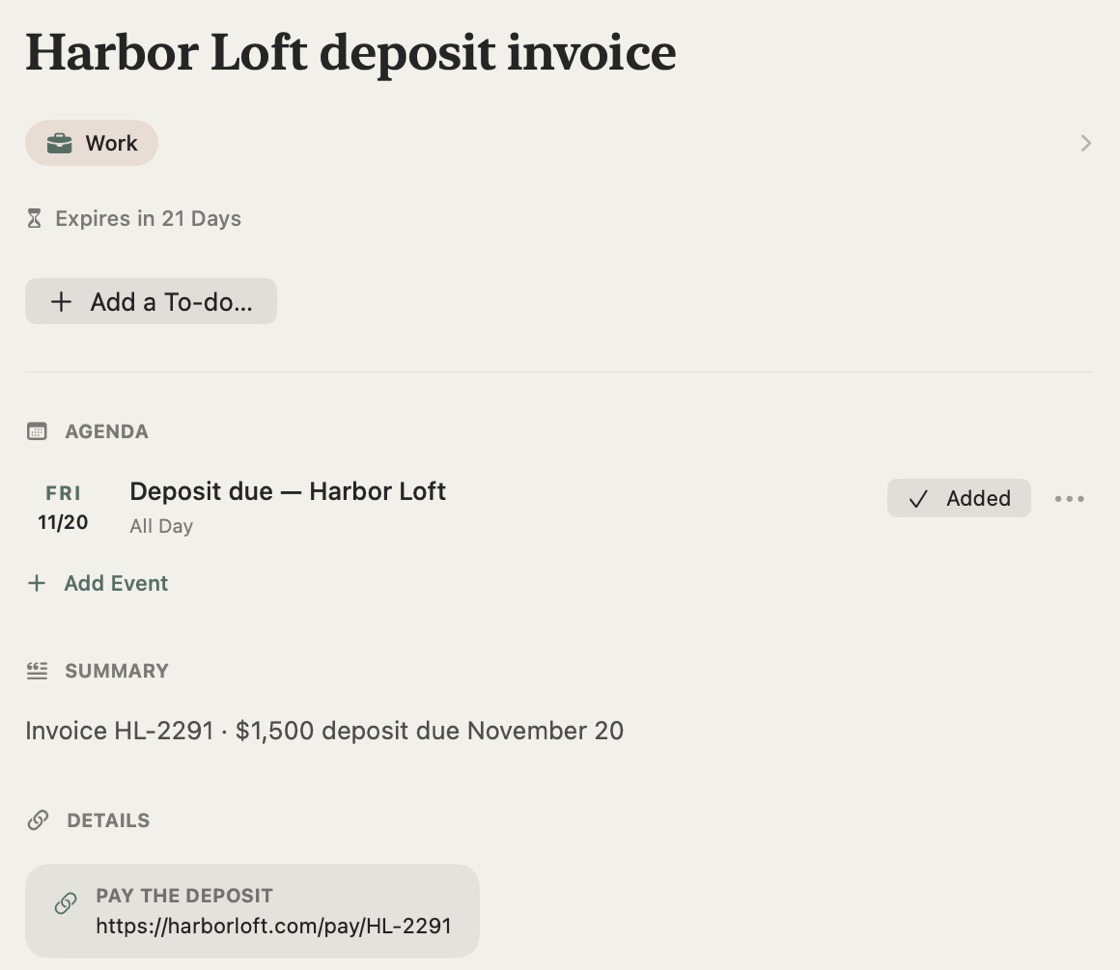
    Press ⌥⇧⌘4 and drag over the invoice. “Deposit due” is on your calendar on the 20th, with a reminder the morning of, and the amount and the link are in the note. You did not open Calendar. You did not type a date. Nothing else to do.

    The venue’s deposit invoice captured on the Mac: “Deposit due — Harbor Loft” on Friday, November 20, marked Added, with the amount and the link to pay
    Free
  3. 9:15 AM · A Slack thread

    A teammate drops the offsite dates into a thread that will be gone by Friday.

    Press ⌥⇧⌘6 and drag over the message. The text is read on your Mac and the three days land on your calendar as one event, with the thread’s details in the note. When someone asks in June, you know where it is.

    Free
  4. 10:30 AM · A browser tab

    The conference early-bird pricing ends Friday. You were going to decide later.

    Press ⌥⇧⌘5 and click the window. “Early-bird ends” is on your calendar for Friday with a reminder that morning, and the note offers “Register before Friday” as a to-do. Say yes and it is in your Tasks. This is the fastest a date can get from a screen to your calendar.

    Free
  5. 12:30 PM · Lunch, phone in hand

    The dentist texts to confirm Thursday at 2:00.

    Screenshot it on your iPhone. By the time you are back at the desk it is in the Mac’s Today pane under “New from your iPhone”, on the calendar, with the address tappable. Sync across Mac, iPhone, and iPad is Premium.

    Premium
  6. 2:00 PM · Your inbox again

    The new monitor shipped. The tracking number is in the email somewhere.

    Capture the email. The number is found and shown on the note. With Premium the delivery sits in the Mac’s Deliveries pane with live status until it reaches the office, and your phone taps you when it does.

    Premium
  7. 5:40 PM · The store on the way home

    Your partner texted a list at four. Both hands are about to be full.

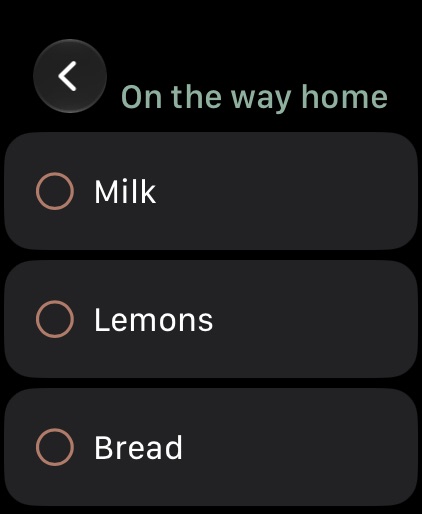
    You screenshotted the text at your desk. The list is on your Apple Watch in the aisle: tick off the milk, the lemons, the bread, from your wrist, phone still in your pocket.

    The “On the way home” list on Apple Watch: milk, lemons, bread
    Free
  8. 8:30 PM · Laptop closed

    Nothing needs you tonight.

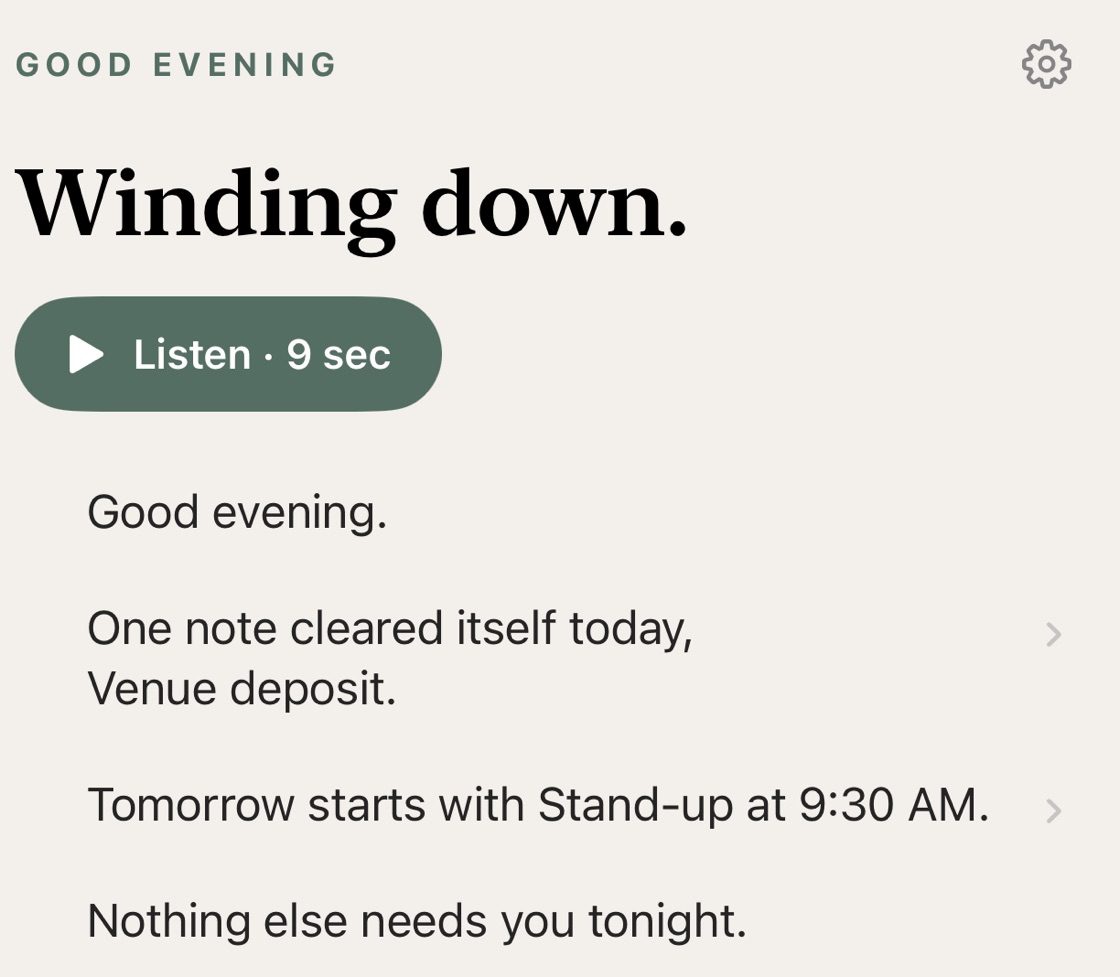
    The evening digest says so in one line, after telling you the deposit note cleared itself and that tomorrow starts with the nine-thirty stand-up. The early-bird note will clear itself on Saturday. The offsite stays until June.

    The evening digest: the venue deposit note cleared itself today, tomorrow starts with stand-up at 9:30 AM, and nothing else needs you tonight
    Free

What this Tuesday needed

Most of it is free. The rest is one subscription.

Free

On the Mac and the iPhone, no account needed to start

  • ✓Capture an area, a window, the whole screen, or just the text, from any app, from the menu bar icon
  • ✓Invoices, deadlines, and thread dates read and on your calendar, with a reminder
  • ✓A morning and evening digest, read or spoken aloud, in the Today pane
  • ✓The to-do a capture still asks of you, offered on the note
  • ✓Lists on your Apple Watch, for the store on the way home
  • ✓With a free account: keep a note forever, Google Calendar, seasonal palettes
Download free

Premium

$39.99 a year with a 7-day free trial, or $4.99 a month. One purchase covers Mac, iPhone, and iPad.

  • ✓Sync across Mac, iPhone, and iPad: the text you screenshot at lunch is at the desk when you get back
  • ✓Live package tracking in the Deliveries pane, with a delivered alert on your phone
  • ✓Your digest narrated in a natural voice, in words written for your day
  • ✓A circle for the list you share with a partner or a team
  • ✓Pin to top and a weekly recap of what is coming up
Start 7-Day Free Trial

The yearly plan begins with a 7-day free trial; the monthly plan does not include a trial. Subscriptions renew unless canceled at least 24 hours before the end of the billing cycle. Manage anytime in your App Store Account Settings. Requires macOS 15.